OpenAI describes agents as "systems that independently accomplish tasks on behalf of users," and its agent platform provides tools for capabilities including web search, file search and computer use.[1]
Other AI systems are moving in the same direction. Claude can interact with computer environments through screenshots and mouse and keyboard control,[2] while open-source platforms such as OpenClaw bring AI agents into everyday messaging apps, together with tools, skills, memory and automation.[3]
We don't need another tool to manage our tools
Most of us already have plenty of apps. Email. Calendars. Reminders. Notes. Messaging. Maps. Shopping lists. Contacts. Task managers.
That isn't just an impression. The average company deployed 93 applications in 2024, and among workers using ten or more of them, 42% report needing at least fifteen minutes to refocus after switching tasks.[4] We looked at that research, and at why generic AI tools sit outside the gap rather than closing it, in an earlier post on AI orchestration.
Now AI can interact with many of them. But our lives don't arrive divided into applications.
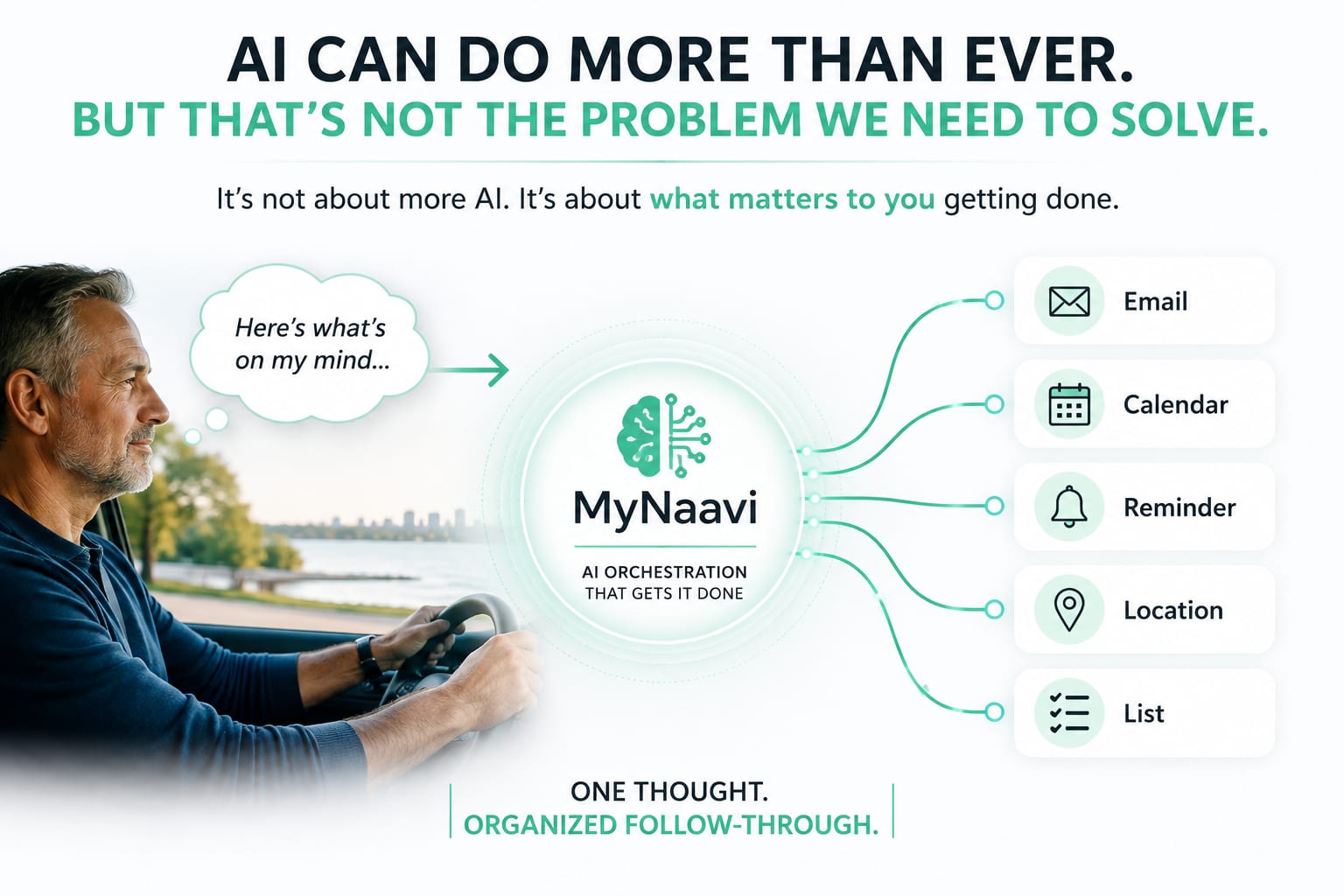
Imagine driving home and thinking:
"I need to email Sarah about the budget. I should prepare for Monday's meeting on Sunday. And when I get to Costco, I need my shopping list."
A computer might see three different workflows — one involving email, one a time-based reminder, one a location and a list.
But to you, they weren't three workflows. They were simply three things on your mind.
A personal AI assistant should understand the intention
The challenge isn't simply giving an AI assistant access to more tools. It's enabling it to understand what needs to happen, when it should happen and which tools should be involved — without making you manage the machinery underneath.
That becomes clearest when personal context is involved. Suppose you say:
"When I arrive at James's house, remind me that his children are Sam and Lila."
This isn't simply a reminder. It involves a person, information you want to remember and a place — and most importantly, understanding when that information will become useful. Memory, location, notifications and AI reasoning all exist already. The useful part is making them work together.
AI agents are becoming extraordinarily powerful
OpenAI provides agent technology that can combine reasoning with tools such as web search, file search and computer interaction. Its computer-use tool "lets a model operate software through the user interface," inspecting screenshots and returning actions such as clicking, scrolling and typing.[1]
OpenClaw shows how far the general-purpose agent concept can extend. It is a self-hosted, open-source gateway that brings AI agents into messaging apps people already use — WhatsApp, Telegram, Slack, Signal and others — and it documents tools, skills, sessions and memory, multi-agent routing, and webhook and cron automation. The project describes everyday outcomes: organizing an inbox, sending email, managing a calendar.[3]
Every capability an agent platform offers also arrives with something to set up — an integration to connect, a skill to install, a trigger to define. That openness is exactly the point for people who want to shape the system themselves. Alongside it, there's room for a different kind of experience: one where the sophistication stays underneath, and the person is never asked to arrange anything.
You shouldn't need to build a workflow
Traditional automation asks you to determine the trigger, decide which application responds, then configure the action. That's useful for a repeatable business process. Everyday life doesn't work that way.
Thoughts appear while you're driving. Someone mentions something during dinner. A doctor tells you something you need to do three weeks from now.
This is the idea behind MyNaavi
MyNaavi is being built around a simple idea: tell MyNaavi what's on your mind. MyNaavi determines what needs to be remembered, organized or acted upon and coordinates the appropriate follow-through — sometimes an email, sometimes a calendar event, sometimes a reminder, and sometimes something tied not to when it should happen, but where.
The complexity belongs underneath the experience — not in front of the person using it.
From "What can AI do?" to "What can I stop doing?"
For years, much of the conversation around artificial intelligence has centered on capability. Can AI write this? Understand this? Operate that application? Those remain important questions. But the personal AI assistant introduces another: what can I stop having to manage myself?
Maybe I shouldn't have to open my calendar just to create an event, or decide whether a thought belongs in Notes, Reminders or a task manager, or remember to open my shopping list when I arrive at the store — or construct an automation workflow to make any of it happen.
AI agents will keep becoming more powerful. But capability alone isn't the destination. For everyday life, the better measure of progress is: how much complexity disappears for the person using it?
That's what we're building toward with MyNaavi:
Say what's on your mind. Let MyNaavi organize the follow-through.
Capability was never the problem. Follow-through is.
Call the demo line — 1-888-91-NAAVI — from any phone.
No app, no account, no setup.
MyNaavi is free on Google Play. Tell it one thing you would otherwise have to remember, and let it carry the rest.
References
- OpenAI, "New tools for building agents" (March 11, 2025) — OpenAI describes agents as "systems that independently accomplish tasks on behalf of users" and introduces built-in tools for web search, file search and computer use. See also OpenAI's "Computer use" developer guide, which describes a model operating software through the user interface via screenshots and UI actions.
- Anthropic, "Computer use tool" — Anthropic documents a toolset that lets Claude interact with desktop environments through screenshots and mouse and keyboard control.
- OpenClaw, documentation and project site — OpenClaw describes itself as a self-hosted, open-source gateway connecting chat apps (Discord, Slack, Signal, Telegram, WhatsApp and others) to AI agents, and documents agents, tools, skills, sessions and memory, multi-agent routing, and webhook and cron automation. Its project site describes everyday tasks including organizing an inbox, sending email and managing a calendar from a chat app.
- Qualtrics, "More tools, less clarity: The modern workplace stack" (May 6, 2026) — "In 2024, the average company deployed 93 applications, up from 89 the previous year," and "among workers using 10 or more apps, 42% report needing at least 15 minutes to refocus after switching tasks."
References verified September 1, 2026.